
7.1 KiB
Executable File
4chan X
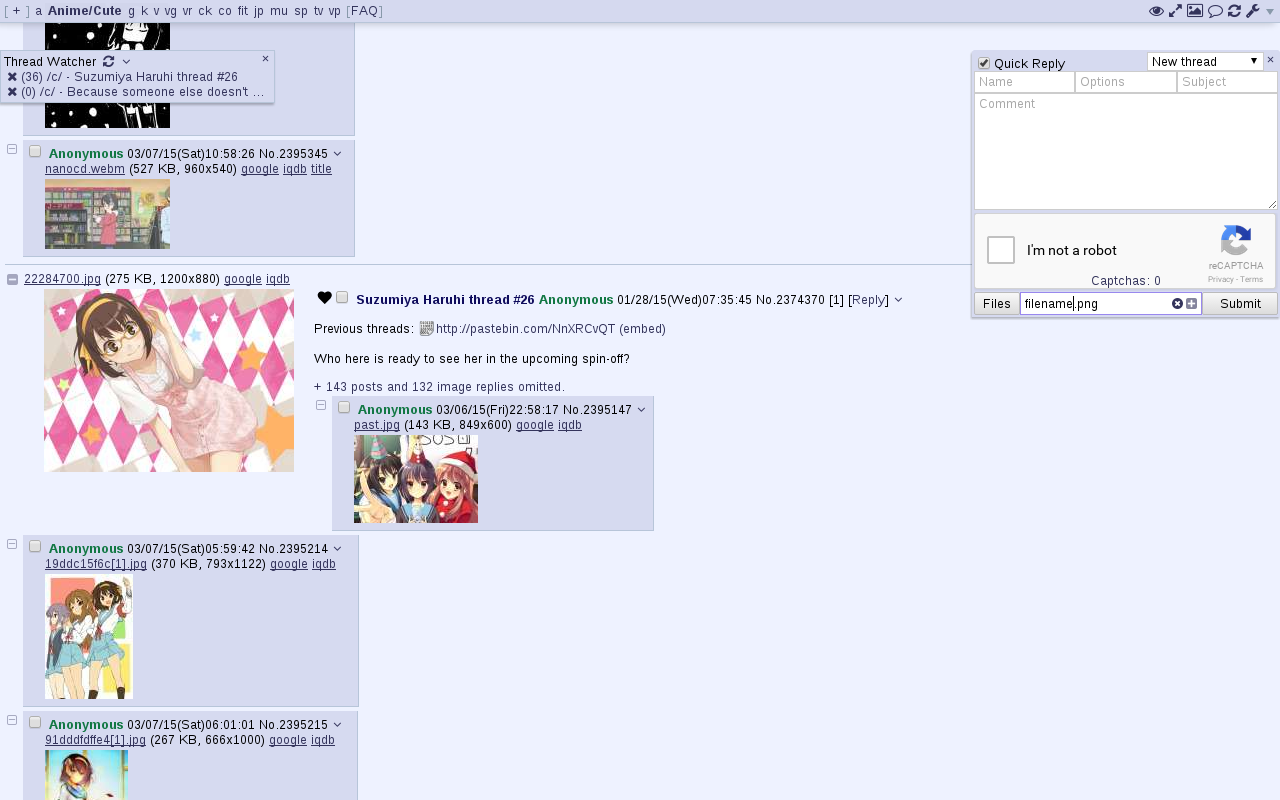
Adds various features to 4chan. Previously developed by aeosynth, Mayhem, ihavenoface, Zixaphir, Seaweed, and Spittie, with contributions from many others.
If you're looking for a maintained fork of OneeChan (a style script used in addition to 4chan X), try https://github.com/Nebukazar/OneeChan.
Firefox version: Click to Install
Install Greasemonkey, then click the link above to install 4chan X.
Pale Moon users should use Greasemonkey 1.15. SeaMonkey users should use Greasemonkey 2.3 and convert the extension with this tool.
WARNING: If you're switching to this fork from someone else's fork of 4chan X, back up your old script before installing this one as the old one may be overwritten.
Known issues: Greasemonkey 3.0 has a bug causing 4chan X to open multiple tabs when you open a new tab (for example, when starting a thread). If you're having this problem, updating to Greasemonkey 3.1 or later should fix it.
Chromium version: Click to Install
Download the file from the link above and add drag it to your chrome://extensions page.
This should also work for Opera 21+, Chrome dev/canary, and Chrome on platforms other than Windows.
The above will not work in Chrome (stable or beta) on Windows; you must install from the Chrome store as described below.
Chromium version (Chrome store): Click to Install
The stable and beta releases of Chrome on Windows will disable extensions not installed from the Chrome store, so users will need to install 4chan X from the link above. Only the latest stable version of 4chan X is available.
Other browsers
4chan X can be used in other browsers, but not all features will work, and you should expect some bugs. In addition, I don't regularly test in these browsers, so updates may occasionally break the script. If this happens, open an issue, and use an old version from the changelog until it's fixed. You can also try loadletter's fork if you're having trouble getting this one to work.
In several WebKit browsers, there is currently an issue where 4chan X will crash the browser when repeatedly solving the default image-based captchas. Until this is resolved, it is recommended you enable Use Recaptcha v1 in your settings.
-
dwb: Install the userscripts extension, then save the script to the
$XDG_CONFIG_HOME/dwb/greasemonkeyor$HOME/.config/dwb/greasemonkeydirectory (creating it if necessary):dwbem -N -i userscripts wget -P ${XDG_CONFIG_HOME:-$HOME/.config}/dwb/greasemonkey https://ccd0.github.io/4chan-x/builds/4chan-X.user.js -
Midori: Enable
User addonsin your preferences, under the Extensions tab. In the Privacy tab, checkEnable HTML5 local storage support. Optionally, if you want 4chan X to be able to open new tabs when you start or reply to a thread, you will need to checkAllow scripts to open popupsunder the Behavior tab. Then click the link to the script to install it. -
Luakit: Navigate to the script, then type the command
:usito install it. -
uzbl: Install the script from https://github.com/singpolyma/singpolyma/blob/master/uzbl/data/scripts/userscript.sh, enable it in your config file, and then save 4chan X to
$XDG_DATA_HOME/uzbl/userscripts(or$HOME/.local/share/uzbl/userscripts).wget -P ${XDG_DATA_HOME:-$HOME/.local/share}/uzbl/scripts https://raw.githubusercontent.com/singpolyma/singpolyma/master/uzbl/data/scripts/userscript.sh chmod +x ${XDG_DATA_HOME:-$HOME/.local/share}/uzbl/scripts/userscript.sh echo '@on_event LOAD_FINISH spawn @scripts_dir/userscript.sh' >> ${XDG_CONFIG_HOME:-$HOME/.config}/uzbl/config wget -P ${XDG_DATA_HOME:-$HOME/.local/share}/uzbl/userscripts https://ccd0.github.io/4chan-x/builds/4chan-X.user.js -
Safari: Install JS Blocker, then click the link to the script to install it. Be aware that I do not have a practical way of testing the script in Safari at the moment. If you encounter problems, it would be useful to try to reproduce the problem in another browser.
Beta version
New features and non-urgent bugfixes are released on the beta channel for further testing before they are moved the stable version. Please report any issues you find, and be sure to mention which version you're using. You should back up your settings regularly to prevent them from being lost due to bugs.
If you want to install the current beta version but get updates from the stable channel after that, install it from here for Firefox or here for Chromium.
Security note
4chan X currently shares your settings and post history between the HTTP and HTTPS versions of 4chan. If you are concerned about protecting your privacy against a man-in-the-middle attack, you should disable 4chan X on the HTTP version of 4chan and/or install HTTPS Everywhere.
Uninstalling
4chan X disables the native extension, so if you uninstall 4chan X, you'll need to re-enable it. To do this, click the [Settings] link in the top right corner and uncheck "Disable the native extension" in the panel that appears.